Nooks SSO Setup with SAML
Last updated: August 14, 2026
Overview
Single Sign-On (SSO) is an authentication method that allows users in your organization to access multiple applications with one set of credentials. If your team uses SSO authentication, you can set up SSO for Nooks to enable seamless and secure access for your organization.
This document outlines how to set up SSO with Nooks using Security Assertion Markup Language (SAML) for Nooks. If you use Okta or Microsoft Entra ID as your IdP, please refer to the linked setup documentation for these specific providers.
Configuration Steps
To enable SSO via SAML for Nooks, please follow these steps:
In your IdP, create a new application for Nooks. Use
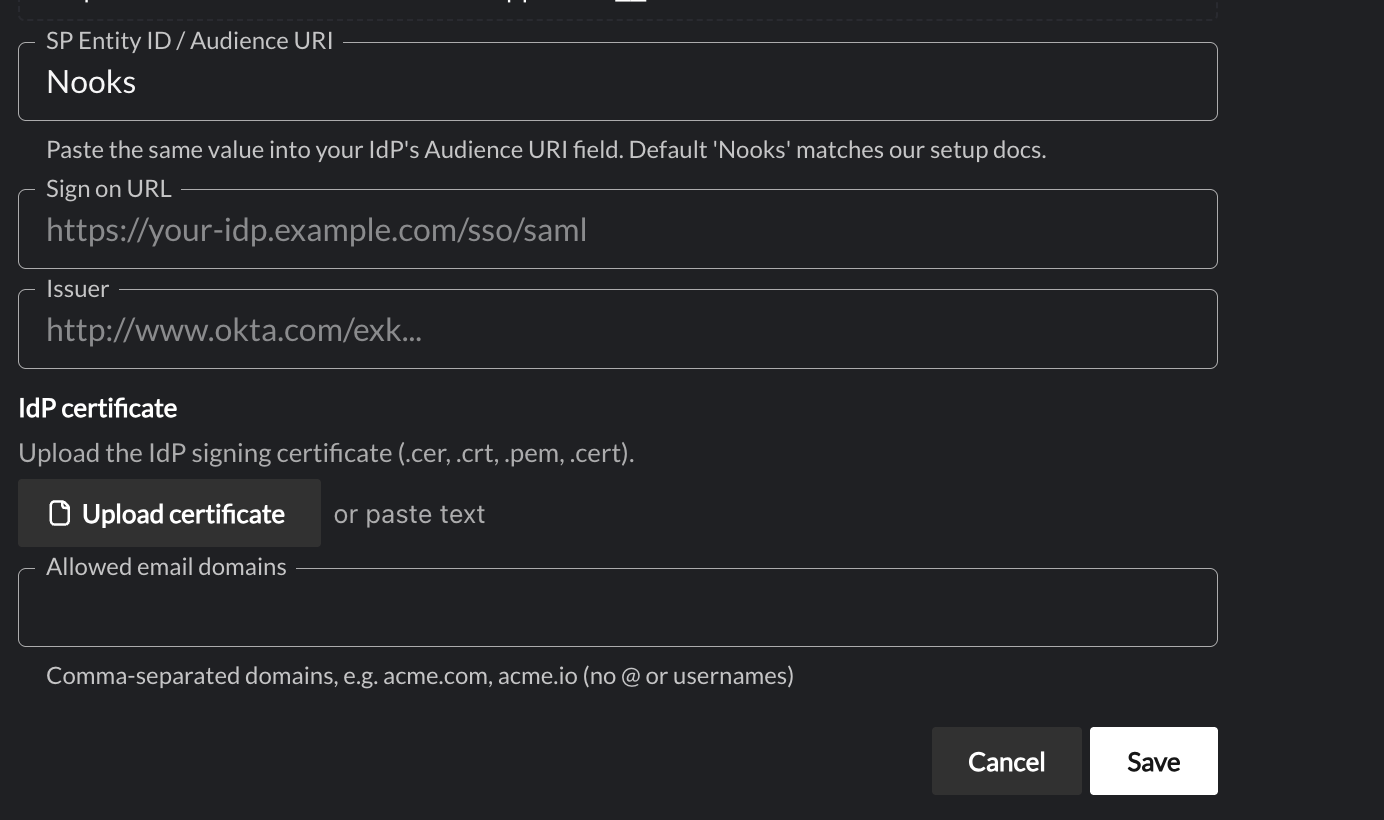
Nooksas the Service Provider Entity ID, andhttps://auth.nooks.in/__/auth/handlerfor ACS URL / Single Sign On URL.After creating the application in your IdP, take note of the following:
IdP SSO URL / Login URL
IdP Entity ID
IdP Base64 Certificate
IDP Issuer
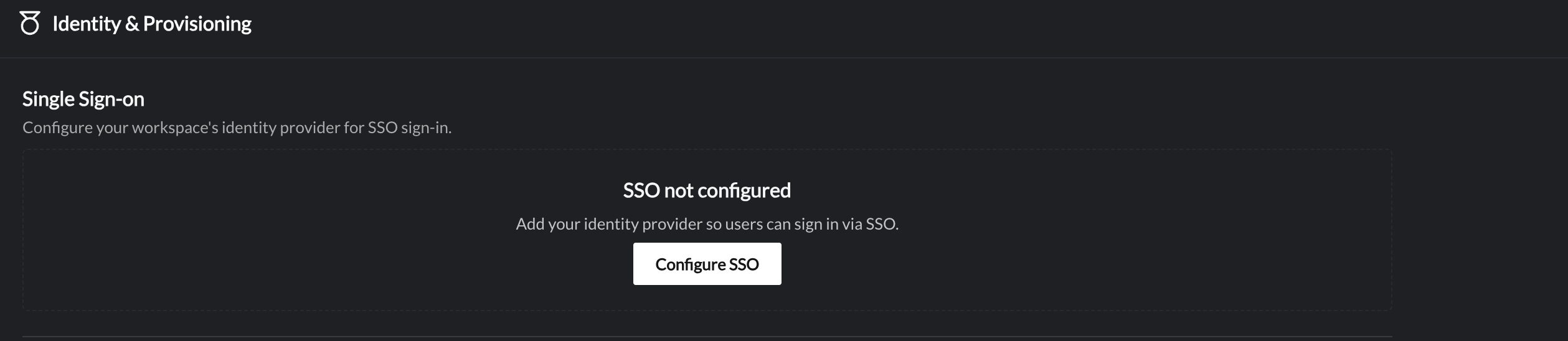
In Nooks, go to Settings → User Management → Identity and Provisioning and click Configure SSO.
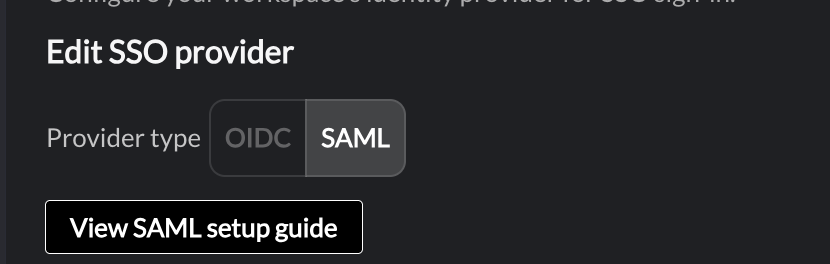
Select SAML and enter the fields noted in step #2 above into the appropriate form fields.
If you have any questions or need further assistance, please don't hesitate to reach out to our support team at support@nooks.in. We're here to help ensure a smooth integration process for your organization.