Provisioning an International Phone Number
Last updated: October 15, 2026
This guide explains the requirements and steps for provisioning a phone number from a country other than the United States or Canada.
Applies To: Users with an International add-on seat.
Overview
If you have an International seat, you can provision a call-from phone number from countries and territories outside the United States and Canada. Nooks supports phone number provisioning from 35+ countries and territories.
Each country's local government or telecom authority sets its own requirements for phone number provisioning. If your Workspace meets a country's requirements (usually by submitting a Regulatory Bundle application) that country appears in the "Country" selector so you can provision phone numbers from it.
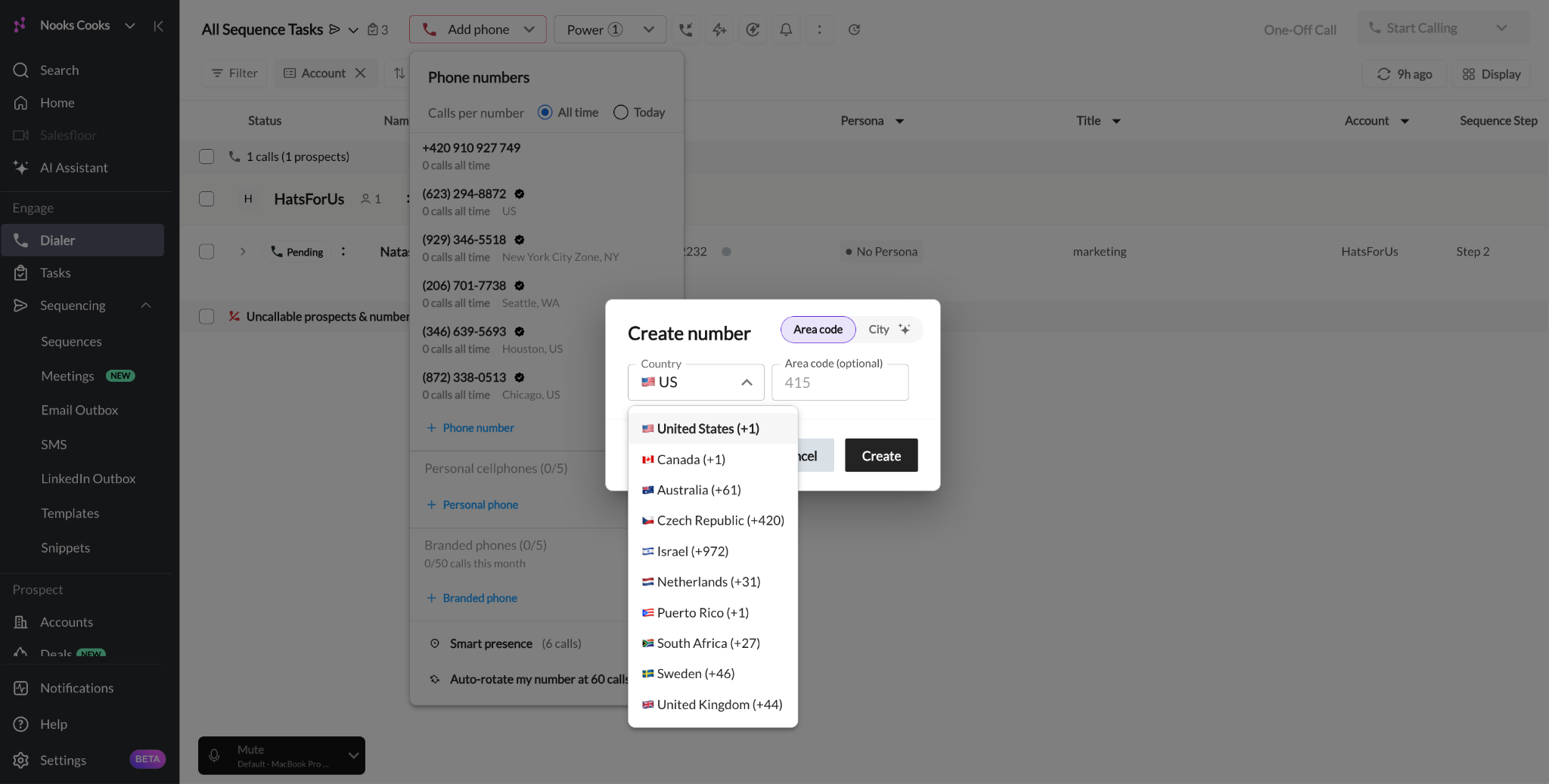
A subset of countries are known as Private Offering countries, meaning phone numbers can't be generated on demand and must instead be released directly to your Workspace by a local telecom provider. Before you can provision a number from these countries, your Workspace admin team must request a batch of numbers for your Workspace.
Before You Begin
Before provisioning a phone number from outside the United States or Canada, check that you meet the following requirements.
You have an International seat in Nooks.
For countries that do not require a Regulatory Bundle: Your Workspace admin team has enabled phone creation for that country.
For countries that require a Regulatory Bundle: An approved Regulatory Bundle for the country you want to provision a phone number from.
For Private Offering countries only: An inventory of Private Offering numbers in your Workspace’s pool.
How to Provision an International Phone Number
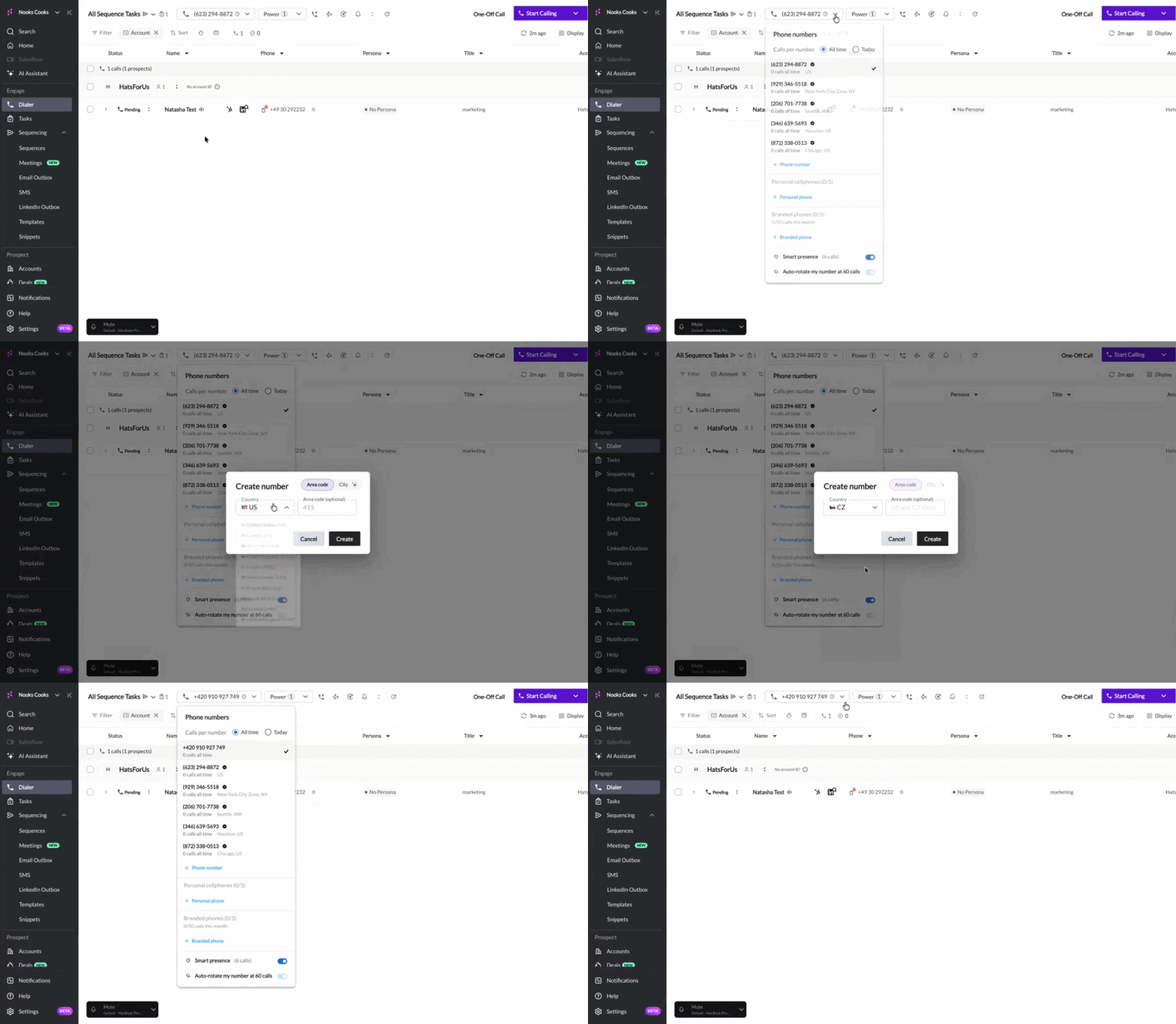
To provision a phone number from a country other than the US or Canada from the Dialer:
Open the Nooks Dialer.
Click the Phone numbers box in the top-left corner.
Click + Phone Number.
In the Create number pop-up, select the target country. The country options you see correspond to the countries your team has satisfied the regulatory requirements for.
Click Create. Nooks provisions you a number from that country and adds it to your phone number list.
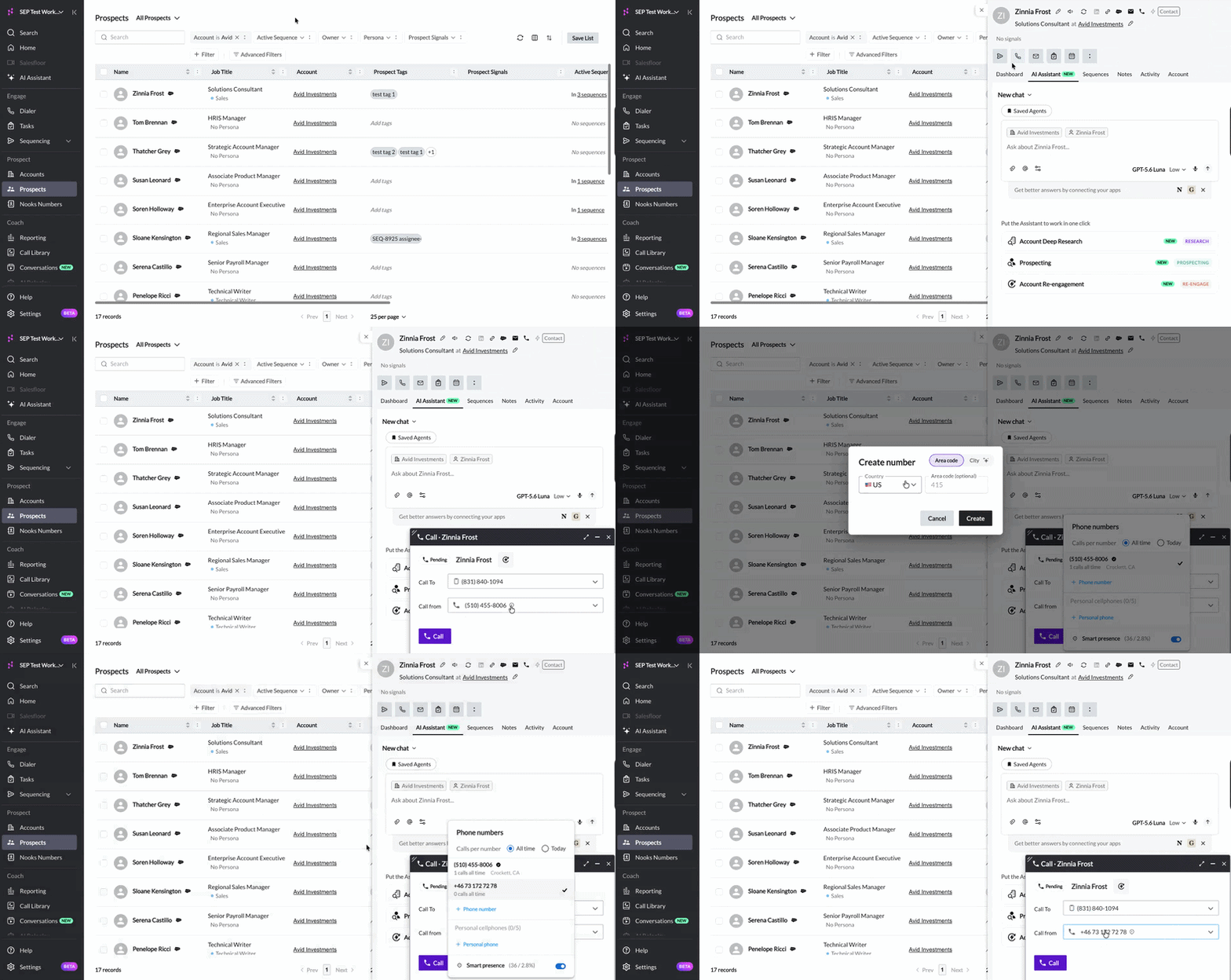
To provision a phone number from a country other than the United States or Canada from the Prospects page:
Open the Prospects page.
Click on any prospect.
Click the click-to-call button.
Click the From number dropdown in the one-off call window.
Click + Phone Number.
In the Create number pop-up, select the target country. The country options you see correspond to the countries your team has satisfied the regulatory requirements for.
Click Create. Nooks provisions you a number from that country and adds it to your phone number list.
Troubleshooting
The table below provides some troubleshooting guidance for resolving common errors related to international phone number provisioning.
Issue | Resolution |
Error message: | This country is likely a Private Offering country and your Workspace has depleted your inventory of numbers. Private Offering phone numbers aren't generally available on demand and must be provisioned through our third-party VoIP provider, Twilio. Contact Nooks Support to provision additional numbers for that country. |
A country is not showing up in the Create number pop-up’s country dropdown. | First, check this guide for the list of countries Nooks supports provisioning phone numbers from. If the country is there, work with your Workspace admin to verify whether your team has an approved Regulatory Bundle for the country. For most countries, having an approved Regulatory Bundle is required before number provisioning is unlocked. If the country is not there, Nooks doesn't currently support provisioning phone numbers from that country because of local regulations. Provision a number from a different country instead. |
FAQs
Can I choose a number from a specific prefix?
Prefix selection for international numbers is not currently supported.